


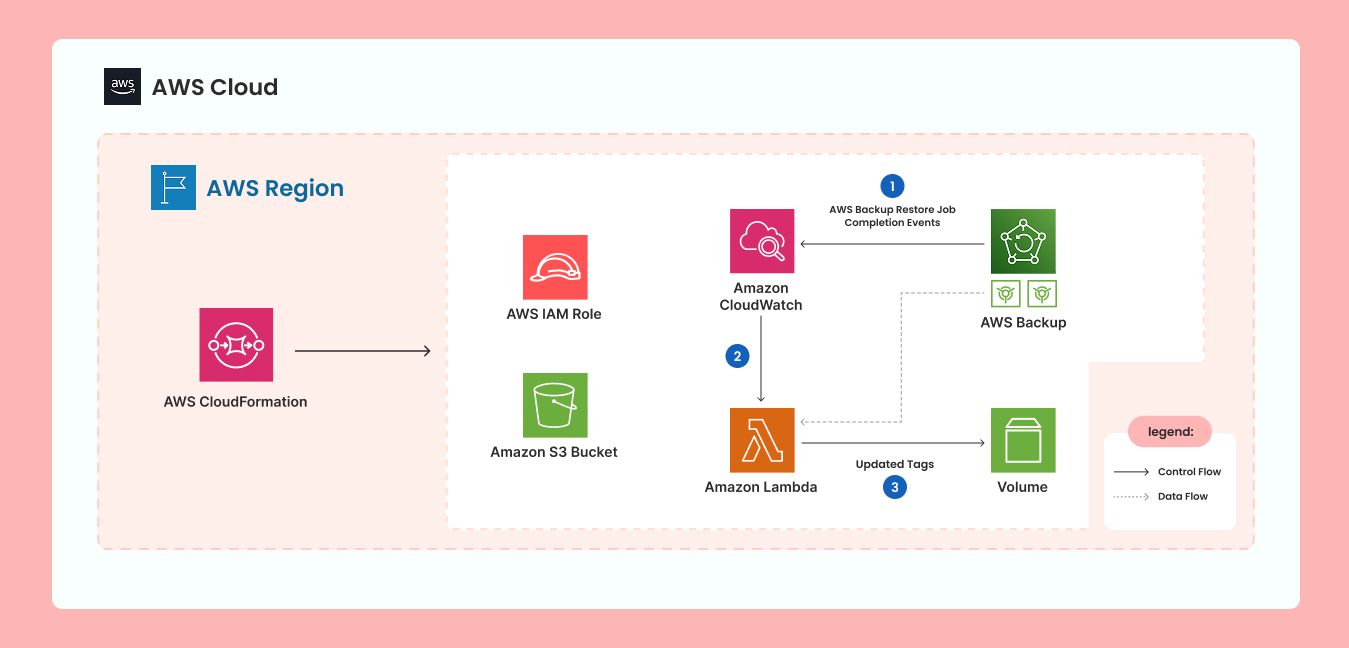
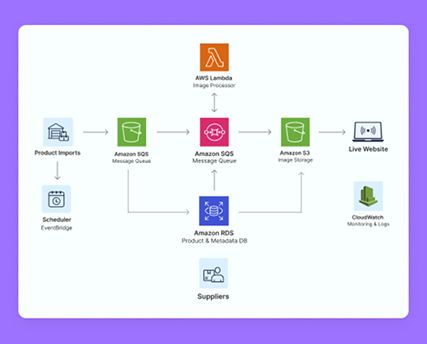
We reviewed all the active AWS services and compared it directly to site workloads like product imports, image processing, background jobs, and database activity. Anything without a clear operational role was flagged for validation.

Discover what’s next for AI in healthcare in 2026 - Get Access to the Full Report
Client Background
The drop-shipping company operates with a high-volume digital commerce site that links retailers to thousands of wholesale suppliers. The system manages product ingestion, catalog updates, inventory synchronization, and order routing across multiple Shopify-based marketplace applications.

Country
USA

Industry
Digital Commerce

Time Invested
3 Weeks

Engagement Model
Dedicated Development Team
Business Challenges
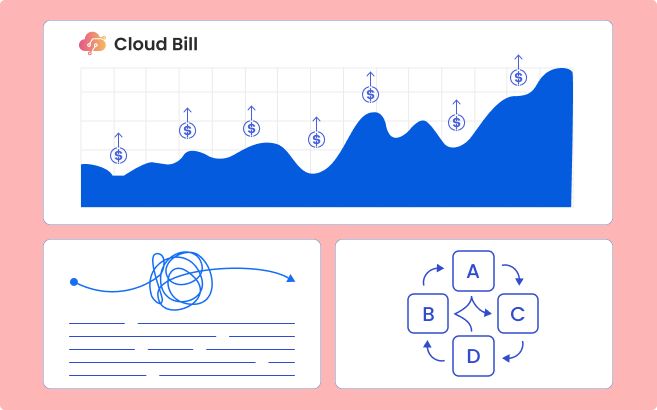
As TopDawg’s dropshipping platform scaled, its AWS environment expanded alongside. Over time, multiple cloud services were enabled, but there was no regular review of those services and spending patterns. Resources were rarely audited after being set up, so unused instances, backups, and features continued running. Monthly AWS bills kept increasing without clear ownership or accountability.
An Overview of the Project
We started by analyzing six months of billing data. Our cloud consulting team reviewed every enabled AWS service and compared it with actual usage in the site. Services were first stopped and monitored for a couple of days to make sure there was no impact on site performance.
We addressed cost leakage across compute, storage, networking, and managed services. Unused EC2 instances were removed after image processing workloads had already shifted to AWS Lambda. Legacy AMIs, database backups, CloudWatch logs, and ECR repositories were cleaned up, and clear retention rules were implemented to avoid long-term accumulation.
We also disabled high-cost features such as Fast Snapshot Restore, removed idle services including unused load balancers and AWS Transfer Family, and downgraded Redis for staging. Development resources that were no longer active were also decommissioned.
Together, these changes eliminated unnecessary recurring charges and kept production and staging environments fully operational.
Client Feedback

This wasn’t a one-day cleanup. They took the time to understand how our platform runs day to day, cleaned up what no longer served a purpose. We now work with an AWS setup that’s easier to manage and far more predictable from a cost perspective.
Darren DeFeo
CEO, TopDawg
The tricky part was making changes without affecting site operations. We disabled services gradually and only made permanent changes once we were confident nothing depended on them. It was slow by design, but essential to keep everything stable.

Anjali Soni
Sr. Software Engineer at Radixweb
Project Challenges
- Limited Visibility into Active Service Usage - Many AWS services were enabled over time without clear ownership or documentation. It was difficult to determine which resources were still supporting live workloads versus those quietly adding to monthly costs.
- Risk of Disrupting Live Operations - Cost reductions had to be executed without impacting order processing, supplier integrations, product imports, or background jobs. We had to follow a cautious, phased approach rather than aggressive resource deletion.
- Accumulated Legacy Configurations and Backups - Older AMIs, backups, logs, and features remained active from previous architectures. All these created cost leakages that needed validation before removal to avoid breaking dependent workflows.
Solution Scope

EC2 Footprint Reduction
We removed 10 nano EC2 instances after image processing shifted to AWS Lambda to eliminate unnecessary compute costs and save approximately $34 per month.

Disabled Snapshot Acceleration
Fast Snapshot Restore had been enabled by default but never actively used, so it was switched off to immediately eliminate unnecessary snapshot-related charges, around $558 per month.

AMI Backup Cleanup
A review of historical deployments revealed 195 AMI images retained only as backups. Those were safely deleted to reduce storage costs by approx. $72 per month.

Removed Development Instances
Several development EC2 instances were found running without active usage and were shut down permanently. We removed idle capacity and saved $5 per month.

Transfer Service Decommissioning
AWS Transfer Family was still active despite no longer supporting any workflows and removing it helped cut recurring service costs by $223 per month.

Unused Load Balancer Removal
We identified an unused load balancer with no incoming traffic and removed it to prevent ongoing networking charges and save approximately $32 per month.

Deleting CloudWatch Logs
Obsolete CloudWatch log groups accumulated over time were deleted, lowering log storage and ingestion costs and saving approximately $30 per month.

Downgrading Redis Cache
Because staging workloads required far less memory and throughput, the Redis cache configuration was downgraded to better reflect usage. It resulted in savings of $34 per month.

Image and Backup Retention Control
Unused ECR repositories were removed, container image retention was limited to the last five deployments, old database backups were deleted, and database backup retention was reset to 2 days for staging and 15 days for production. All of this saved around $164 per month.
Talk Directly with Our Cloud Leads
Discuss your cloud architecture, performance, and constraints in a working session. You’ll leave with immediate next steps and a solution outline.
Key Optimization Strategies
Usage-Led Assessment
Environment-Specific Decisions
Production and staging environments were evaluated separately. We applied more strict controls to staging, but the production retained configurations needed for backups and recovery requirements.
Dependency-Aware Execution
Each change was reviewed for downstream dependencies in queues, scheduled jobs, storage, and integrations. We had to make sure that removing or modifying resources did not break hidden workflows.
Preventive Cost Controls
To avoid future cost leakage, we introduced retention rules, cleanup policies, and configuration standards, so that unused resources do not silently accumulate again.
Business Impact
The team saw immediate outcomes of the cost-saving measures we implemented. Monthly AWS cost stayed predictable and within budget, which helped our client make viable spending strategies.

Reduced Monthly AWS Spend
The engagement reduced monthly AWS costs from approximately $2,500 to $1,400 under the original architecture. That’s a ~40% reduction without affecting production workloads.

Cost Recovery After Optimization
We implemented some more performance-related changes in the architectural, and the monthly spend finally stabilized at approx. $2,100.

Faster Cost Visibility
What previously took weeks of billing reviews can now be assessed in 1-2 hours. Monthly AWS costs stopped fluctuating. Budgeting and forecasting became a lot easier for our client.

Cost Justification for Scaling
As baseline costs were under control, our client could approve new infrastructure spend based on actual performance needs rather than reactive billing spikes.


Validate Before You Commit
Start with a paid pilot focused on your enterprise environment or workload. Clear scope, fixed timeline, and outcomes are benchmarked before full rollout.