Read More


Recognized for AI Excellence at 2026 Globee® Awards - Read More

Dhaval Dave
What This Article Covers: This guide delivers a comprehensive list of modern web development tools. It explains the role of frontend, backend, build, testing, deployment, and observability tools, and how each category supports different project types. The article highlights widely adopted tools alongside emerging, AI-enabled options to help leaders evaluate trade-offs with clarity.
Web development tools are the software solutions used to design, build, test, deploy, and maintain web-based products. They range from frontend libraries and backend frameworks to testing utilities, deployment platforms, and infrastructure services.
There are multiple categories of web development tools because no single tool addresses the full lifecycle of a website or web app, including building user interfaces, managing server-side logic, enforcing security, and supporting continuous deployment.
As such, tool selection becomes a matter of architectural fit, project type, team expertise, and long-term maintainability rather than popularity alone.
The team of web developers, web designers, testers and QAs, and project managers at Radixweb has tested 100+ web development tools in the market, spent 2000+ hours exploring and experimenting with them, and stress-tested the tools and found innovative use cases
Based on this expansive internal exercise, we have curated a 60+ web development tools list (grouped by 10+ categories), to help you quickly see what to adopt, what to retire, and where to double down

A web development tool is a software program, application, framework, library, or even online platform that helps you design, build, test, and manage websites and web applications.
These tools come in different shapes and sizes, each providing support at various stages of the entire web development process. Tools help with particular tasks such as code editing, debugging, testing, or version control. Frameworks provide building blocks for frontend or backend functionality, and platforms offer multiple capabilities like development, hosting, deployment, and monitoring. Together, these components support the full web development lifecycle.
Hence, whether you're a beginner or a seasoned developer, web developer tools help you execute your web projects with efficiency and finesse. From text editors and IDEs to graphic design tools and version control systems, these tools cover a wide range of needs for anyone involved in developing websites.
As the web development market approaches US$ 63.41 billion in 2026, tooling decisions increasingly influence speed, cost control, and long-term maintainability. This stack distinction also helps you avoid tool sprawl. Most teams standardize 1–2 per category, not one of everything.
Web development tools are critical because they influence how efficiently you build, scale, and maintain digital products. They directly impact your product's time-to-market, total cost of ownership, technical debt, and long-term stability.
Teams with mature, standardized stacks are able to ship faster, reduce production incidents, and deliver consistently under changing business demands. When viewed through a business lens, these advantages clarify why large enterprises maintained a 62.40% share of web development spend in 2025.
Automation in build/test/deploy phases cuts release cycles, often from weeks to hours. Using modern tools for web development, you can iterate on feedback almost 3x quicker.
Unified stacks reduce license fragmentation (5+ editors → 1-2) and eliminate "glue code" maintenance across incompatible tools.
Integrated linting, testing, and observability catch more defects in pre-production and shrink support tickets and hotfix cycles.
Developers join faster when your stack matches their Stack Overflow habits (VS Code + React + GitHub still dominates 80% of job postings).
Without intentional tooling, you get the opposite - shadow IT, duplicated effort, and engineers spending much of sprint capacity fighting environments instead of building features. The stakes are higher in 2026 as AI-augmented teams with clean stacks outpace fragmented ones in velocity metrics.
Before you start exploring the list, it's crucial to grasp the fundamental distinction between frontend and backend web development tools, along with full-stack ones.
Frontend tools help teams build what users see and interact with, such as UI, UX, and performance in the browser, while backend tools power what runs on servers like data storage, business logic, APIs, integrations, etc. Full-stack tools handle both frontend and backend in one system
Frontend tools help in building the interface and functionalities that users directly interact with. These tools empower developers to create graphic elements, animations, eye-catchy fonts, etc.
What they handle:
Backend development tools streamline the behind-the-scenes process of developing a server and managing user data. Their focus is on simplifying the intricate task of creating the unique logic that works under the hood.
What they handle:
Full-stack development tools support the development of end-to-end websites and web apps, including both frontend and backend. These tools are perfect for fast-moving product environments where development speed and lesser context switching are priorities.
What they handle:
Many of the tools mentioned here are integral parts of Radixweb’s daily operations. While we can't cover everything, we're excited to share a few of our top picks along with some commonly used options. For better understanding, we have divided these tools into 10 categories with no specific order:
Code and text editors are the primary working environments for developers, which they use to write, edit, and navigate source code. The right editor improves developer productivity and reduces friction in daily workflows.
Below is our curated selection of code and text editing tools for web development:
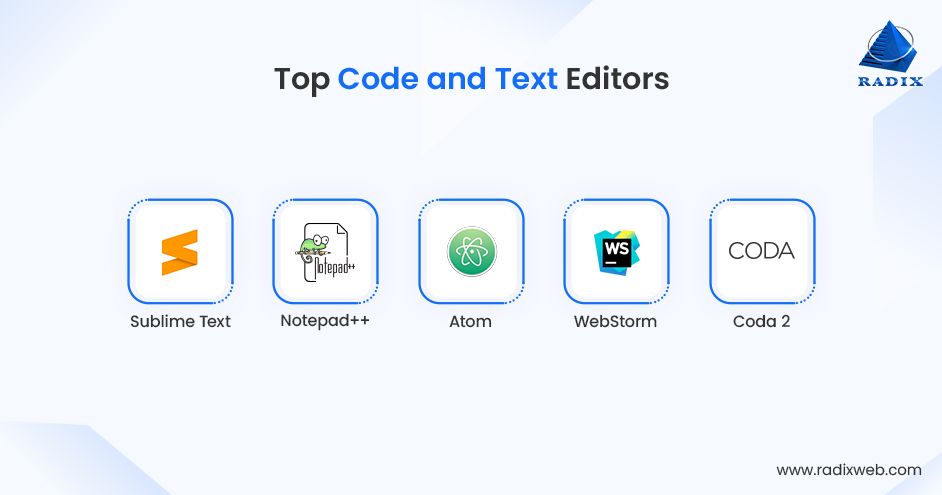
Sublime Text is a lightweight, high-performance editor. It helps developers work on codebases without the overhead of complex tooling or background processes. Teams use it for quick edits, scripting, or projects.
Best Suited For:
Sublime is ideal for small to mid-sized projects, scripts, legacy code maintenance, and developers who prefer minimal environments.
Notepad++ is a fast, Windows-based text and code editor designed for straightforward editing tasks. It supports multiple programming languages and basic syntax highlighting.
Best Suited For:
Notepad++ is well suited for small websites, configuration files, quick fixes, and maintenance tasks in Windows environments.
Atom is a customizable code editor designed exclusively for flexibility and community-driven extensions. Web developers use it to customize their editing environment to specific workflows.
Best Suited For:
Atom is a perfect web development tool for small projects, learning environments, and teams that prefer highly customizable tooling over performance optimization.
As a full-featured IDE built around JavaScript, TypeScript, and modern web frameworks, WebStorm helps teams manage complex codebases through advanced refactoring and code analysis.
Best Suited For:
WebStorm is a strong fit for enterprise web applications, large frontend codebases, and teams working heavily with modern JavaScript frameworks.
Coda 2 combines code editing, file management, and basic deployment tools into a single macOS application. It helps developers handle frontend development tasks and small server-side changes without switching between multiple tools.
Best Suited For:
Code is commonly used to create small to mid-sized websites, in frontend-heavy projects, and for macOS-based teams managing both code and deployment.
Local development environments stimulate production-like conditions on a developer’s system to build, create, and test websites and applications offline without affecting live sites.
Based on our delivery experience, these are the local development environments we recommend most often for web development:
MAMP (Mac, Apache, MySQL, PHP) is a free local server environment that bundles everything you need to run websites on your Mac or Windows computer. With one click, it starts Apache web server, MySQL database, and PHP, and is ready for testing in seconds.
Best Suited For:
Choose MAMP for local development of WordPress and PHP websites, small teams, quick prototyping, macOS-centric workflows.
XAMPP (X = cross-platform, Apache, MySQL, PHP, Perl) is the most popular free local server package. It works on Windows, Mac, and Linux. It includes everything for full-stack testing, installs in minutes, and controls everything from a clean dashboard.
Best Suited For:
XAMPP shines for cross-platform teams, PHP-based applications, local testing environments, early-stage or educational projects.
LAMP is a classic open-source server stack built on Linux, Apache, MySQL, and PHP. It closely mirrors many production hosting environments. LAMP is typically configured manually and is favored when developers need full control over the server setup.
Best Suited For:
LAMP is best applied in production-like local environments, enterprise or legacy PHP applications, and projects that need infrastructure-level control.
It’s a portable, one-click local environment for Windows, packing Apache/Nginx, PHP, MySQL, Redis, Memcached, and MailHog. Largon makes it simple to build setups for frameworks like Laravel and offers flexible configuration and fast performance.
Best Suited For:
Laragon is particularly effective in Laravel and modern PHP projects, small to mid-sized teams, and developers seeking faster local environments on Windows.
Vagrant creates identical, disposable development environments using virtual machines. It helps teams maintain consistent setups, especially when local and production systems must closely work. As it shares environments via Git, team members get exact replicas.
Best Suited For:
Enterprise applications, legacy systems, VM-based infrastructure, teams prioritizing environment parity over speed.
WampServer provides a Windows-specific local server stack using Apache, MySQL, and PHP. It allows developers to run and test PHP applications locally with minimal configuration. It’s a mature, battle-tested server for 15+ years and has a clean interface for starting/stopping services.
Best Suited For:
Windows-based development, small websites, PHP application testing, maintenance and support work.
Front-end frameworks are development tools that consist of standardized and pre-written code bundles designed to build user interfaces and manage client-side behavior. These are coding toolkits that optimize the frontend development process with easily accessible solutions and save you from writing the code from scratch.
Here is our selection of the most effective frontend development tools currently used in web development:
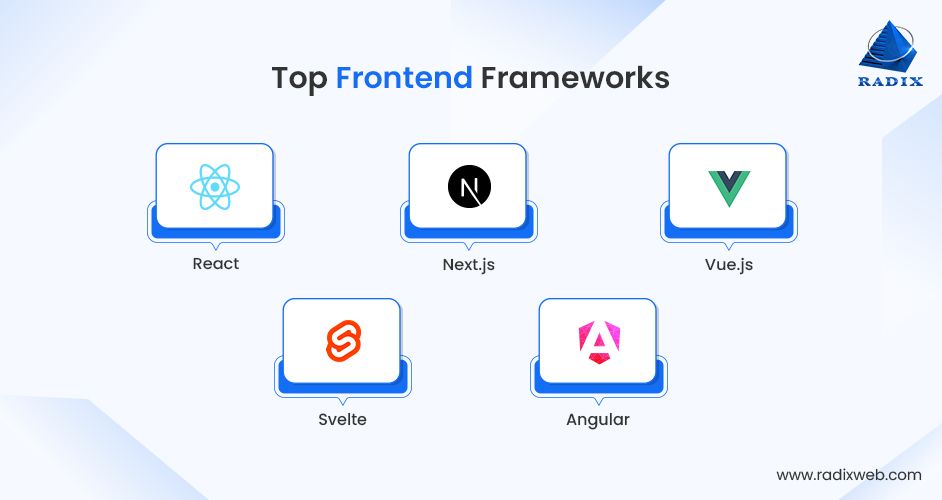
React is the most popular tool for building interactive user interfaces. Created by Facebook, it uses reusable components (just like Lego blocks) to create pages that update smoothly without reloading. Its huge community offers endless ready-made solutions.
As per Stack Overflow 2025 survey, React was the second most used web framework, with 44.7% developers wanting to use it over the next year.
Best Suited For
React is the best tooling choice for dashboards, single-page apps, or any project needing lots of user interaction. Perfect when you need to hire developers easily or build complex screens like admin panels.
Next.js builds on React to create fast, SEO-friendly websites. It handles page loading speed automatically and works great for both simple sites and complex apps. It's also easily deployable anywhere.
Best Suited For
Next.js shines in online stores, marketing sites, or blogs where Google ranking matters. Great for startups wanting professional sites quickly without performance headaches.
Vue.js is one of the most popular UI/UX design tools for developers. It’s lightweight and easy to learn, scaling from small features to full websites. Simple syntax makes it beginner-friendly while powerful enough for big projects.
Best Suited For
Vue is incredibly efficient for small teams, prototypes, or gradually adding interactivity to existing sites. Ideal when you want something simple that grows with your needs.
Svelte creates super-fast websites by turning code into plain JavaScript with no extra framework weight. Pages load instantly, especially on mobile. It has smaller file sizes and faster runtime performance than its competitors.
Best Suited For
Svelt is perfect for mobile-first apps, landing pages, or anything where speed is critical. Perfect for startups competing on performance or budget-conscious projects.
Angular is Google's complete toolkit for building large business applications. Everything you need (forms, routing, testing) comes built-in. TypeScript support catches errors early.
Best Suited For
The best use cases of Angular include enterprise dashboards, internal tools, or complex corporate apps. Choose when you need long-term maintainability and have bigger teams.
Backend frameworks are used to build and manage the server-side components of web systems. They handle business logic, data processing, authentication, integrations, and communication between the application and databases or external services.
Below is our practical shortlist of web development platforms suitable for backend development:
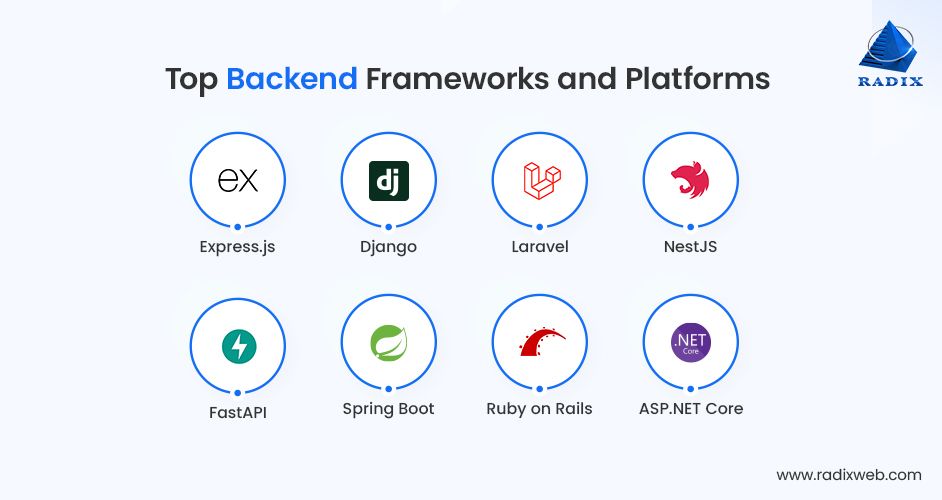
Express.js is a simple, fast framework for Node.js that handles the server side of websites. It creates APIs and manages requests easily with minimal setup. It's a lightweight and flexible tool choice for any size project.
As per Statista, Express was the fifth most used web framework among developers worldwide in 2025.
Best Suited For
Express.js is recommended for real-time apps, APIs, or chat features. Perfect for JavaScript teams wanting quick backends without complexity.
Django is a Python framework that's secure and complete out of the box. It's built for speed and safety, and includes user login, admin panels, and database tools automatically.
Best Suited For
Django is the best backend web development tool for data-heavy sites, content platforms, or apps needing strong security like news sites or dashboards.
Laravel is an elegant PHP framework with beautiful code and built-in features for databases, queues, and emails. It demonstrably makes complex business apps feel simple to build.
Best Suited For
Laravel is the go-to framework for backend development of E-commerce sites, customer portals, internal business tools, content-driven systems, and PHP-based products.
NestJS is a must-have for Node.js backend projects as it brings structure and modularity to server-side development using TypeScript. It’s organized like enterprise apps with clear rules for scaling teams and code.
Best Suited For
NestJS is most applicable in large Node.js applications, enterprise APIs, teams needing strong structure and long-term maintainability in JavaScript backends.
It's a super-fast modern Python tool for building APIs. Its automatic documentation and error handling make it developer-friendly.
FastAPI got a 5-point rise in the list of best web frameworks and technologies, as per Stack Overflow survey. It’s a notable shift that reinforces Python’s growing role in high-performance API development.
Best Suited For
Fast API is one of the best top web development tools for data science apps, machine learning backends, or services needing speed and clear docs.
Spring Boot is Java's powerful framework for enterprise apps, designed to handle heavy traffic and complex business rules with automatic configuration.
Best Suited For
For banking systems, corporate software, or any large-scale application with strict requirements, Spring Boot is the best option.
Ruby on Rails (Rails) is the framework that promotes fast development with "convention over configuration." Web developers use it to build end-to-end apps quickly with less code.
Best Suited For
RoR is most effective for startups, MVPs, SaaS products, and applications where speed to market is a primary concern.
It’s a cross-platform backend framework for building high-performance web applications and APIs. It integrates closely with the Microsoft ecosystem and supports strong performance and security requirements.
Best Suited For
ASP.NET Core is a strong fit for enterprise web applications, Microsoft-centric environments, high-performance APIs, and long-term corporate systems.
Build tools and bundlers take separate JavaScript, CSS, and other files, and combine them into fewer optimized files that browsers can load quickly. They shrink file sizes, fix compatibility issues for older browsers, and make websites faster by removing unused code.
Let's have a look at a few of the notable build tools and bundlers for website and web app development:
It’s a modern build tool that makes development feel instant, and production builds fast and lean. It’s simple to start, fast enough for scaleups, and friendly for junior and senior developers alike
Best Suited For
Vite is a core requirement for modern frontend projects, small to mid-sized teams, React and Vue applications, and projects prioritizing speed and simplicity.
Webpack is the long‑time standard for bundling JavaScript, CSS, and assets into files that browsers can load efficiently. It’s highly configurable and can support almost any type of setup, from simple sites to very complex apps.
Best Suited For
Enterprise frontend apps, complex SPAs, legacy projects, and teams needing deep customization of the build process are the best use cases of Webpack.
esbuild is a ultra‑fast bundler and minifier built with Go, designed to make builds 10–20x faster than older tools. It supports modern JavaScript and TypeScript and automatically removes unused code to keep bundles small.
Best Suited For
esbuild is the go-to bundler for performance-focused builds, large codebases needing fast compilation, tooling pipelines where speed is a priority.
Rollup is a bundler designed to create very clean, small bundles, especially for libraries and shared components.
Best Suited For
Rollup is a critical web development tool for building design systems, UI libraries, SDKs, and reusable packages that you publish internally or on npm.
It’s a “zero‑configuration” bundler. You point it at your code, and it figures out most of the setup for you. It supports JavaScript, TypeScript, CSS, images, and more, and updates the browser automatically as you code.
Best Suited For
Parcel is for smaller teams, prototypes, and marketing or campaign sites where you want good performance without investing time in complex build configs.
Package managers are useful web development tools to automate and streamline the entire procedure of installing, upgrading, configuring, and uninstalling programs. Since installing and working with multiple programs is a considerable hassle for developers, these tools come in handy.
This section outlines the package managers we consider most reliable for modern web projects:
npm (Node Package Manager) is the original and most widely used tool for downloading and managing JS libraries and dependencies. It comes built into Node.js, so it's always ready to go with the world's largest collection of packages.
Best Suited For
npm is suitable for frontend and backend JavaScript projects, full-stack apps, and teams seeking maximum ecosystem compatibility.
Yarn is a faster, more reliable alternative to npm with better handling of team projects. It downloads packages in parallel and creates consistent lockfiles so everyone on your team gets the exact same versions.
Best Suited For
For large teams, monorepo architectures, enterprise frontend, and full-stack JavaScript applications, Yarn is the best package manager.
pnpm saves massive disk space by storing packages once centrally and linking them to projects. Installations are much faster than npm, especially on large projects or when working with many apps.
Best Suited For
pnpm is ideal for large repositories, monorepos, performance-focused teams, and enterprises managing dozens of projects.
Bun is an ultra-fast, all-in-one tool that installs packages 10-30x quicker than npm. It's part of a complete JavaScript runtime, so it also runs and bundles code without extra tools.
Best Suited For
Bun is well suited for startups racing to launch, performance-focused teams, or experimental projects. It's perfect when speed is your top priority and you're okay with newer technology.
pip is the default package manager for Python. It enables teams to install and manage libraries required for backend services, automation, and data-driven applications.
Best Suited For
Choose pip for Python backends, data-centric applications, APIs, internal tools, and automation workflows.
As the package manager for the .NET ecosystem, NuGet supports dependency management for applications built with .NET and integrates closely with Microsoft development tools.
Best Suited For
It's the most widely adopted package manager for .NET web applications, enterprise systems, and Microsoft-centric development environments.
Using web design and prototyping tools, designers create visual mockups, wireframes, and interactive previews of websites or apps before development. They help teams sketch layouts, test user flows, add click effects and animations, and share ideas for feedback.
Here are the most popular web development tools for prototyping and web design that we most frequently recommend:
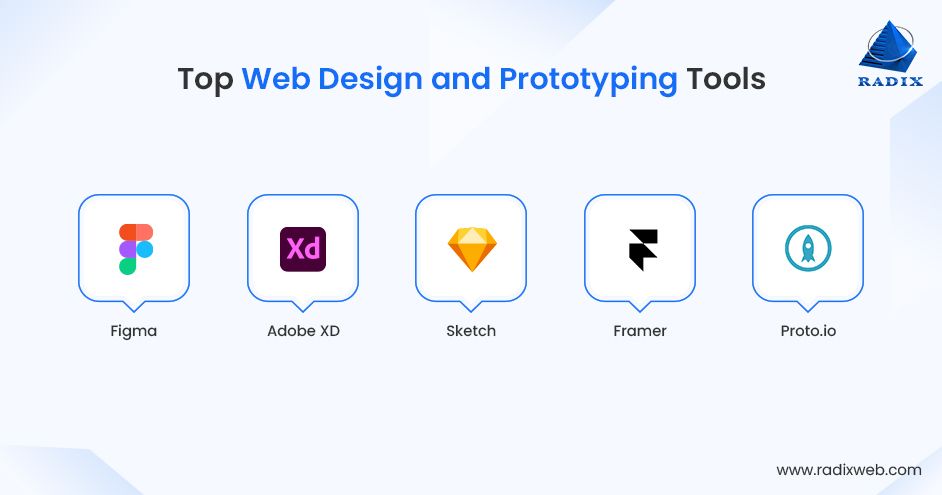
Figma is a cloud-based collaborative design tool for creating layouts, wireframes, and clickable prototypes. It's like Google Docs for design, allows real-time collaboration without file version conflicts.
Best Suited For
Figma works for any team project, from startups to enterprises. It's the top choice for collaborative websites, apps, or design systems where multiple people need input.
This is Adobe's platform for creating user interfaces that provides seamless integration with other Adobe products and powerful prototyping capabilities.
Best Suited For
Adobe XD is perfect for designers in Adobe workflows creating high-fidelity app or web prototypes for marketing sites or mobile apps needing rich interactions.
A macOS-only web design and prototyping tool known for its user-friendly interface and extensive library of plugins.
Best Suited For
It's the first choice for Mac teams building UI kits or icons and agencies designing consistent website templates.
This design tool turns designs into interactive prototypes with code-like animations. Its no-code motion and CMS features make live sites from prototypes.
Best Suited For
Framer is a suitable design tool for landing pages, portfolios, or sites needing smooth scrolls; ideal for freelancers who publish directly.
Proto.io provides drag-and-drop prototyping with 250+ UI elements and templates. It adds gestures, transitions, and device previews without coding.
Best Suited For
It’s often selected for quick high-fidelity mocks for apps/websites. It’s great for product managers or marketers testing ideas fast.
API development and integration tools are used to design, test, document, secure, and connect application interfaces. They play a central role in modern web development as they enable communication between frontend applications, backend services, third-party systems, and external partners.
Here's a list of API development and integration tools that are most widely used:
Postman is the go-to tool for testing and designing APIs. You can create requests, save collections, add tests, and share with your team. Its visual interface makes it easy even for non-coders.
Best Suited For
Any team building or consuming APIs should use Postman. It’s very efficient for developers documenting endpoints or product managers validating integrations before launch.
Insomnia is a simple, offline-first API client for sending requests and organizing tests. It supports GraphQL, WebSockets, and plugins for extra features like auth helpers.
Best Suited For
Insomnia is ideal for solo developers or small teams needing a lightweight alternative to Postman.
Swagger creates interactive API docs from simple descriptions. By generating client code and testing automatically, it makes APIs easy to share and use.
Best Suited For
It's a strong tool choice to create enterprise APIs, public-facing APIs, regulated environments, and teams prioritizing clear and standardized API contracts.
Apidog manages the full API lifecycle, including design, test, mock, and document. It has visual editor and auto-generated specs that save time across the team.
Best Suited For
Apidog is great for growing products needing organized API workflows and full-stack teams from prototype to production.
Zapier connects APIs without code using visual "Zaps." It can triggers actions across 5,000+ apps like email, CRM, or databases.
Best Suited For
For non-technical users automating workflows, Zapier works best. It’s recommended for marketing/sales teams linking your app to tools like Slack or Google Sheets.

In web development, testing and QA tools are designed to check whether a website or web app works as expected before and after release. They automate or support tasks like running test cases, simulating user actions, checking different browsers and devices, and recording bugs.
These are some of the best web development tools for testing that we most frequently suggest for client projects:
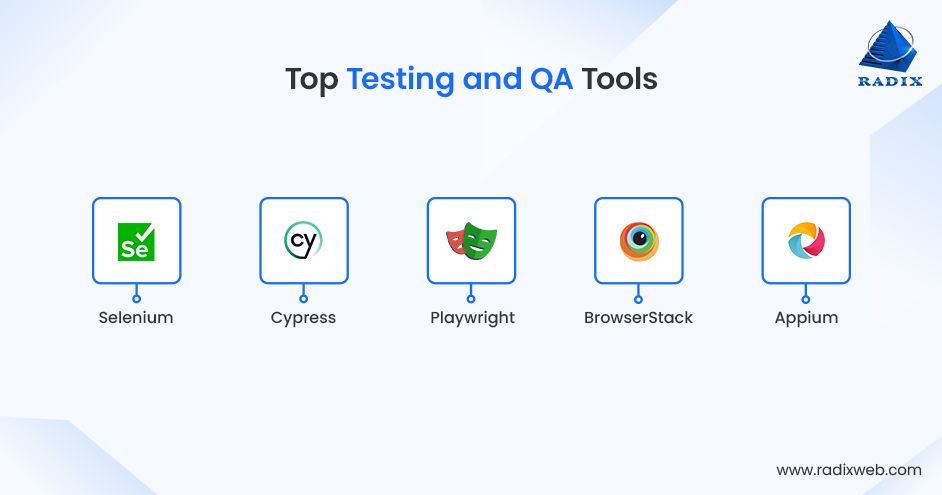
Selenium is the classic open‑source tool for automating browser tests. It lets you write scripts that open real browsers, click through flows, and check that pages behave correctly across Chrome, Firefox, Edge, and more.
Best Suited For
Selenium is strongly recommended for enterprise QA pipelines, cross-browser testing, and regression testing for large and long-lived web applications.
Cypress is a modern testing tool built for web apps. It runs directly in the browser and shows a visual runner while tests are executed. Developers can see each step and debug problems quickly.
Best Suited For
Cypress is a must-have testing tool for frontend-heavy applications, SPAs, agile teams, projects requiring fast and reliable UI testing during active development.
As a relatively new web development tool, Playwright from Microsoft automates tests for Chromium, Firefox, and WebKit (Safari’s engine). It’s open-source and designed to reduce “flaky” tests by waiting automatically for elements and network calls.
Best Suited For
Choose Playwright for reliable cross‑browser tests for modern web apps. It's a strong choice when you want a single tool that works well locally and in CI pipelines.
This cloud platform lets you run manual and automated tests on thousands of real devices and browser/OS combinations, without maintaining your own lab.
Best Suited For
BrowserStack is well suited for e‑commerce sites, consumer apps, and cross-browser and cross-device web testing.
As an open‑source tool, Appium automates tests on native, hybrid, and mobile web apps on iOS and Android. It follows the WebDriver standard like Selenium, so existing skills and tools often carry over.
Best Suited For
Appium is a strong pick when mobile experience is core to your product and you need regression tests on multiple devices and OS versions.
Deployment and hosting tools are platforms and services that take your finished website or app code, automatically build it, push it live to servers, and keep it running 24/7. They handle scaling during traffic spikes, domain setup, SSL certificates, and automatic updates.
The tools below are commonly selected for deploying and hosting websites and web apps:
Vercel is a developer-focused platform designed specifically for frontend frameworks like Next.js. Push code to GitHub and it automatically builds, deploys, and serves your site globally.
Best Suited For
Vercel is perfect for frontend-heavy apps, Next.js projects, marketing websites, SEO-sensitive and performance-driven platforms.
Netlify specializes in JAMstack with Git‑based deploys, built‑in forms, authentication, and global CDN. It excels at handling serverless functions and edge logic.
Best Suited For
Choose Netlify over anything if you’re building static sites, blogs, documentation, or headless CMS.
Render offers hosting for static sites, web services, APIs, and databases (PostgreSQL/Redis). It supports Git deploys, auto‑scaling, preview environments, and clear pricing based on usage.
Best Suited For
Render is best used for full‑stack apps and for startups scaling from prototype to production without switching platforms.
Railway provides templates for quick deploys, managed Postgres/Redis, and automatic service discovery. Interestingly, it supports any language/framework with Nixpacks or Docker.
Best Suited For
Choose Railway if your team is experimenting with full‑stack or multi‑service apps.
Google's Firebase offers hosting for static assets with CDN, SSL, custom domains, and integration with Firebase services (auth, database, functions).
Best Suited For
Consider using it for apps using Firebase ecosystem, mobile/web hybrids, or PWAs where Google services handle backend needs.
Monitoring and observability tools watch your live website or app to spot problems like slow pages, crashes, or high traffic issues. They send alerts when something goes wrong and help teams understand exactly what happened and the reason behind it.
Below are a few of the latest web development tools for monitoring and observability purposes:
Datadog is an excellent tool for tracking app performance, server health, logs, and UX in cloud and on-premise web systems. It provides real-time alerts and AI-driven insights to spot issues before users notice.
Best Suited For
Use Datadog if you have enterprise systems, cloud-native apps, microservices architectures, and growing apps with multiple services.
New Relic shines at application performance management (APM) with detailed transaction tracing, error analysis, and browser monitoring. You can see exactly where slowdowns happen in your full stack.
Best Suited For
New Relic is a useful observability tool for performance-critical web applications and SaaS platforms.
Sentry specializes in error tracking and crash reporting for web and mobile apps. As it captures full context around bugs, developers can fix issues in minutes.
Best Suited For
If you’re building or managing frontend and backend applications, user-facing products, or JavaScript-heavy teams, Sentry would be the best monitoring tool.
Grafana creates beautiful, customizable dashboards from any data source (Prometheus, Loki, databases). It's one of the open-source web development tools with powerful alerting and visualization for metrics, logs, and traces.
Best Suited For
Grafana is an ideal pick for teams using multiple data sources, organizations needing customizable dashboards, and environments built on Prometheus or similar tools.
Prometheus is the open-source standard for collecting and querying time-series metrics from apps and infrastructure. It pairs with Grafana for visualization and Alertmanager for notifications.
Best Suited For
It's perfect for cloud-native apps, Kubernetes-based platforms, and SREs managing distributed systems.
This table below summarizes our go-to recommendations for choosing website and web application development tools, ones that are most frequently evaluated by our team during architecture reviews, rebuild discussions, and scale-up planning exercises..
Use it to quickly spot gaps in your current stack or validate choices before committing
| Tool | Category | Best For | Team Fit |
|---|---|---|---|
| VS Code | Code Editor | Daily coding | All sizes |
| GitHub | Version Control | Team collaboration | Startups to enterprise |
| Next.js | Full-Stack Framework | SEO sites, SaaS | Scaleups |
| Vercel | Deployment | Edge hosting | Startups/scaleups |
| Postman | API Testing | API validation | All teams |
| BrowserStack | Testing | Cross-browser checks | All sizes |
| Figma | Design | UI prototypes | Product teams |
| Tailwind CSS | Styling | Custom designs | Frontend teams |
| Docker | Containers | Consistent envs | Scaleups/enterprise |
| Datadog | Monitoring | App health | Production apps |
AI is now table stakes for web development productivity. These tools save 20-40% engineering time on new projects and keep code quality high.
AI-enabled web development tools are anticipated to see sustained global growth of 26.7% per year over the 2023–2030 period.
Here's our top picks for AI web development tools that we most often recommend when teams want to automate repetitive tasks and surface insights that would otherwise require manual effort:
61. Cursor – AI code editor inside VS Code; writes, debugs, and explains code.
62. Vercel v0 – Generates React components from text prompts.
63. Replit Agent – Builds full apps from natural language descriptions.
64. GitHub Copilot – AI autocomplete for entire functions; knows your codebase.
65. Claude Artifacts – Prototypes UIs and code snippets interactively.
66. Supabase AI – Auto-generates database queries and schemas.
67. Linear AI – Summarizes issues, suggests fixes, prioritizes tickets.
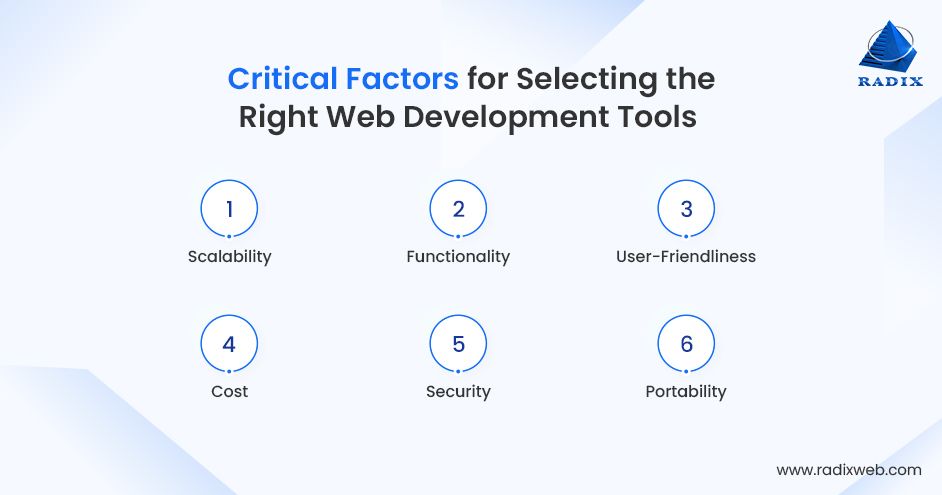
Before making a decision on the top tools for enterprise web development, it's crucial to thoroughly assess the must-have characteristics so that you don’t invest in an option that might not deliver the best results.
To make the job easier, consider the following criteria:
Apart from this web development platforms list, we’ve jotted down a few tips and insights to help you pick out the ideal web development technology for your project:
The world is moving towards automation, and these web development tools are the first step you need to take to automate and optimize your web development process.
With that being said, choosing essential web development tools is rarely about individual tools in isolation. Those tools work together across development lifecycle. Teams often reach a point where internal preferences, legacy decisions, or rapid growth make it difficult to see gaps clearly.
An external perspective can help in this context. Not to replace your team’s judgment, but to validate decisions and align tooling choices with business goals.
Show Us Your Current Stack (We’ll Map Gaps in 72 Hours)
Forward us your current setup (editor, framework, hosting, etc.) and we'll deliver an extensive gap analysis covering performance risks, team friction, hiring gaps, and scale warnings.
This gives your team a practical baseline for deciding what to keep, replace, or defer.
Bring in an Experienced Web Development Partner
Bringing in an external partner makes sense when your internal team is stretched thin or the stakes of your stack decisions are high. That typically looks like a company with growing revenue but a relatively small engineering team or developers spending more time on maintenance than on product improvements.It’s also a smart move when you’re planning a major platform rewrite, facing compliance or performance deadlines, or trying to hit aggressive launch timelines and can’t afford another false start.In those scenarios, a team that has shipped many similar stacks can shorten your learning curve by months, align decisions with ROI rather than personal preferences, and help you move from “list of tools” to a stable, scalable web platform much faster than doing it alone.At Radixweb, our certified web development experts help CTOs and product leaders like you with a complementary stack audit, custom stack recommendations, proof-of-concept builds, team enablement, and end-to-end implementation. proof-of-concept builds, team enablement, and end-to-end implementation.Most CTOs start with our free stack audit. Reach out to us with your current tools and goals, and we'll send the gap analysis at your convenience.
Ready to brush up on something new? We've got more to read right this way.