

Read More


Recognized for AI Excellence at 2026 Globee® Awards - Read More

Akash Kareliya
Quick Summary: Cloud apps and web apps power how users interact with tech; however, they’re not the same. From scalability to architecture, each serves different needs. And choosing the right one isn’t just a technical decision; it’s a strategic move defined by your business vision, user expectations, and operational workflows. In this article, you’ll explore the differences between web and cloud applications to help you pick the best option for your digital future.
As organizations continue to digitalize their operations, business analysts and product managers are often at the crossroads around which type of applications to build and deploy for their business. And one of the most common dilemmas they face is choosing the best option between web apps and cloud apps.
While the line between these terms often gets blurred, they both represent different digital transformation approaches with varying implications in terms of security, scalability, user experience, and expense. Understanding these differences is imperative for driving strategic planning that aligns with your business vision, ensures long-term success, and optimizes performance.
Being a pioneer in the IT industry for over two decades, we’ll help you explore the key differences between cloud apps and web apps. This article also breaks down their benefits and limitations for enterprise-level solutions and offers actionable insights to help business analysts and product managers make sound decisions for their organizations.
A cloud application is a digital solution that functions and operates on remote servers. These apps are hosted on the internet, so there’s no need to install them locally on a user's device. Cloud-based applications depend on cloud computing architecture to store, process, and handle data, which helps users access the app and its resources via a dedicated client or web browser.
Cloud-based apps are highly advanced web applications. However, it relies on web browsers. It can be customized only when it is connected to the cloud. This is done by web interfaces that are used to access cloud-based applications.
When developing cloud apps, it is important to integrate certain features and functionalities to ensure scalability, efficiency, and security. The following are the top features of these apps:
When it comes to web app vs cloud app, the latter offers excellent business opportunities. From network capabilities to on-demand services and accessibility of shared resources, the cloud-based servers deliver multiple benefits.
Some of the significant ones include:
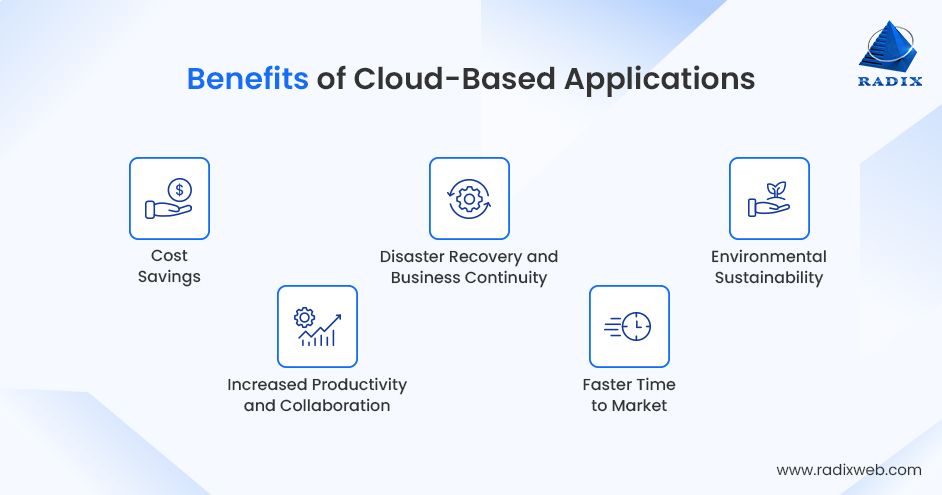
Cloud app development minimizes the need for organizations to invest in costly on-premise infrastructure, software, and hardware.
These apps often come with real-time collaboration functionalities that help employees from different regions work together on the same projects or files.
They often acquire in-built disaster recovery solutions, where your data is frequently backed up and can be rapidly restored in case of disaster or failure.
Cloud service providers offer pre-built tools and infrastructure that speed up the application development lifecycle.
Many cloud providers today operate eco-friendly data centers and use low-carbon energy sources to support their infrastructure requirements.
Cloud app development is transforming how businesses functions, offering cost savings, flexibility, and scalability. But on the flip side, they acquire their fair share of limitations. So, before going all-out with the cloud, it’s crucial to understand the potential drawbacks, including:
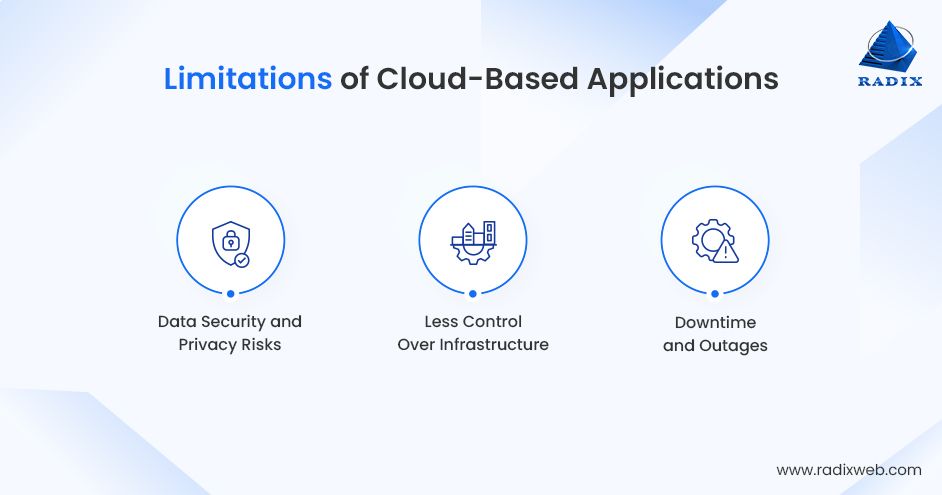
While the majority of cloud apps come with robust security, no system is entirely immune to violations. This could risk confidential data, particularly if security protocols aren’t rock-solid.
With cloud services, you’re necessarily renting someone’s tech architecture. This means very little control over how to manage, update, and customize the infrastructure.
Even the biggest cloud service providers – Microsoft Azure, Google Cloud, and AWS – can sometimes experience downtime. So, if the servers go down, so does your access.
Cloud-based applications are a significant component for organizations working across different industrial vectors. Following are some of the key industry-specific use cases of cloud applications:
A web application is a digital asset that operates in a web browser. Unlike conventional desktop apps, which you must install on a local computer, these apps are accessed via the internet using browsers like Edge, Safari, Firefox, and Chrome.
Developing web apps is like experiencing perfect integration of server-side (.NET and PHP) and client-side (Adobe Flash and HTML) scripts. Moreover, these apps mainly depend on the browsers and their server components, which further receive backend infrastructure support.
Web apps also feature convenience and allow users to access an app from anywhere they want with the computing model's help.
You can expect the global web app development market to value around USD 250.91 billion by 2030; kudos to its evolving features and functionalities. Let’s now go through the top features of these applications that make them widely adopted, flexible, and powerful across different industries:
Web-based applications help businesses to interact with their clients more efficiently. These apps can make it seamless to track and measure data, which is vital to streamline business operations. Following are some of the best benefits of web apps:
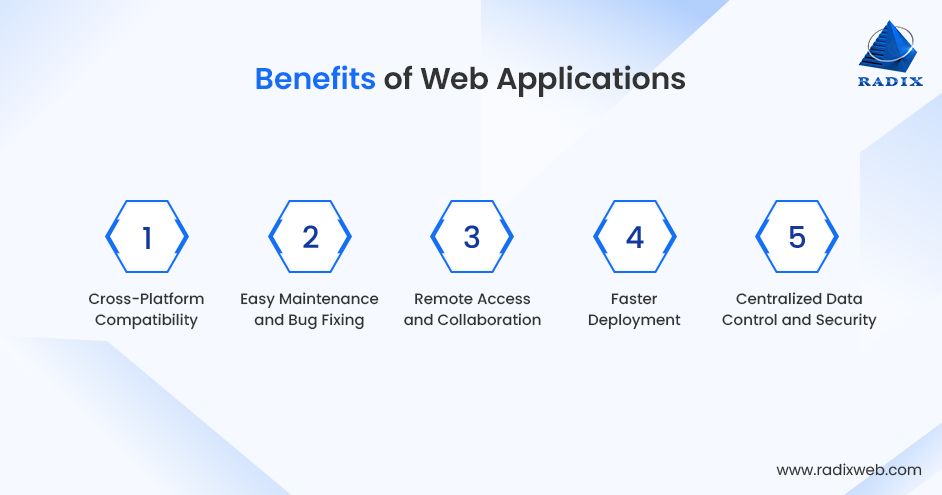
These apps are compatible with operating systems and devices easily accessible to a more significant user base. You can access these apps on iOS, Android, Linux, macOS, and Windows without adopting platform-specific development.
Since web apps work centrally on web servers, your development team can quickly recognize and rectify any bugs and issues without making users install updates.
The remote access feature facilitates seamless collaboration. It also helps team members work on the same app, which aligns remote work facilities and fosters better teamwork.
These apps can be published rapidly; you don't need to go through all app store approval processes. Once your web app development is done, you can deploy it and make it instantly available to users worldwide.
Businesses can have complete control over their data with centralized storage. Also, it's easy to enforce compliance (GDPR, HIPAA), access controls, and security policies.
While web apps are full of potential, they still acquire some trade-offs. The following are some significant disadvantages:
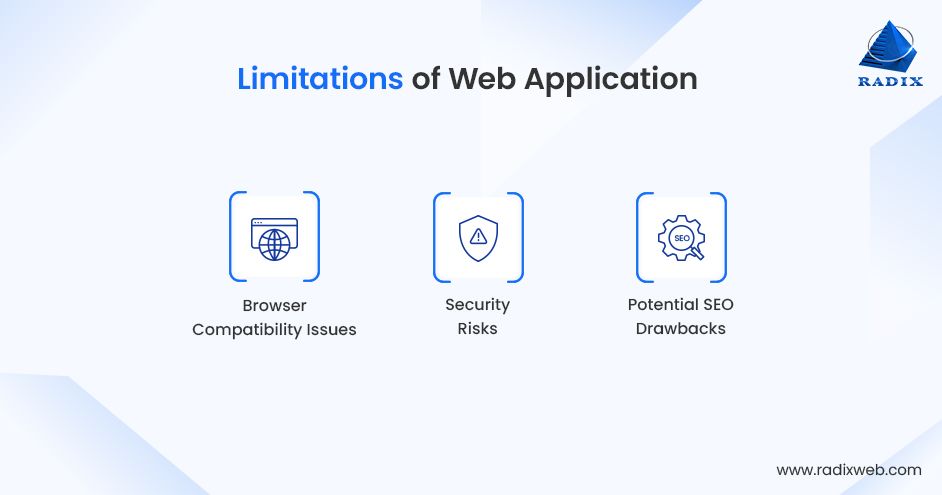
Web apps might work differently across different browsers. So, it's significant for developers to consider cross-browser inconsistencies and bugs.
Being accessible and online through a browser can make your web application security more vulnerable to hackers and cyberattacks.
In contrast to traditional websites, complicated web apps, particularly single-page apps, might face challenges with SEO. It needs additional work to ensure that your content is search engine accessible.
Following is a breakdown of industry-specific use cases of these apps, which reveals how they help with real-world concerns and improve workflows:
As business analysts and product managers, making the right choice between web apps and cloud apps needs a deep understanding of how these apps impact scalability, security, cost efficiency, and overall user experience:
Web apps typically use a traditional client-server architecture. This architecture is usually straightforward but faces system delays as the apps scale in demand or complexity.
On the contrary, cloud-based applications use more complex architectures, like cloud-native, that deploy microservices architecture, distributed systems, and containers. Cloud apps are developed to manage fault tolerance, redundancy, and high availability.
Web applications are majorly accessed via a web browser. You must visit a website (URL) to use your app. You don't need to install anything on your device, which makes it seamless to access virtually from any device.
On the other hand, you can access cloud applications through a web browser; however, they often come with dedicated mobile and desktop apps. This allows users to use the app on different devices, such as tablets, smartphones, and computers.
Web apps are generally hosted on standard web servers. This means you can maintain them easily but may face certain challenges regarding integration with other technologies, flexibility, and scalability. These apps depend either on a single server or a set of web servers.
On the contrary, cloud-based applications are hosted on different cloud computing platforms like Microsoft Azure, Google Cloud, or AWS. These platforms help these apps to scale automatically as per the requirements.
Web apps need an active internet connection to operate. They don't store all the data on your device, and all the processing is done with the help of a web server. So, if your internet is not stable or slow, the app might not work its best or at all.
Cloud apps are designed to experience the benefits of cloud computing infrastructure; many can even work offline. When you don't have internet, the app stores the data locally and syncs it once you're online.
Since web app is hosted on a single server or set of small servers), their resource utilization is forced by the challenges of the server hosting your app.
Cloud apps use computing resources like databases, storage, and processing power to improve user experience and performance. They are proficient in managing large data volumes and complex tasks by distributing work across multiple cloud servers.
Web apps generally use standard web technologies like JavaScript, CSS, and HTML for frontend development and Node.js, Ruby, Python, and PHP for backend development. These apps are often developed using popular web frameworks like Laravel, Ruby on Rails, Django, Angular, and React.js.
Cloud apps deploy cloud computing technologies and might include APIs, microservices, containerization, and serverless computing. Cloud app development uses modern frameworks built for distributed systems, including Serverless frameworks, Dockers, Kubernetes, and Spring Boot.
Web apps integrate standard security measures like HTTPS, firewalls, and SSL/TLS encryption to protect data during transfer. And compliance may depend on how your app is hosted. For instance, if your data is stored, it is essential to meet regulatory requirements like HIPAA or GDPR, depending on the industry and region.
Cloud apps leverage advanced security measures the cloud service providers offer, which include multi-factor authentication (MFA), identity and access management (IAM), and end-to-end encryption. Also, major cloud providers comply with standards, including PCI-DSS, HIPAA, GDPR, SOC 2, and ISO 27001.
Web apps need an active internet connection to work. However, developing progressive web apps (PWAs) comes with limited offline functionality by caching content and enabling engagement even without proper internet.
Cloud apps come with robust offline functionalities. For instance, Google Docs helps end-users to work offline and sync data to the cloud when the connection is back.
Data is stored on a central server. When the app is accessed, the data is collected back from the server. Web apps typically depend on server-side databases for storage, which can get slow if the internet gets slow.
On the contrary, cloud app platforms use distributed cloud storage, which ensures high availability and redundancy. These apps can also experience the benefits of large-scale databases, such as Firebase, Google BigQuery, or AWS DynamoDB.
The cost to develop web apps is generally less because it requires minimal infrastructure. You can build them with the help of standard web frameworks and technologies, and the architecture is usually less complex.
On the other hand, cloud-based applications are likely to be more expensive as they need more advanced infrastructure and technologies. Developers must collaborate with cloud service providers to ensure higher productivity, security, and versatility.
In summary, web apps generally cost 30–40% less to develop than cloud apps, but cloud apps tend to deliver higher long-term returns due to scalability and automation
| Parameters | Cloud App | Web App |
|---|---|---|
| Architecture | Cloud-native with microservices, containers, and high availability | Traditional client–server; limited scalability |
| Accessibility | Browser + dedicated mobile/desktop apps | Browser-based via URL |
| Hosting | Cloud platforms (AWS, Azure, Google Cloud) | Standard web servers |
| Internet Dependency | Supports offline use with data sync | Requires constant internet |
| Resource Utilization | Dynamically scales across cloud resources | Limited by server capacity |
| Tech Stack | Microservices, APIs, Docker, Kubernetes, Serverless | HTML, CSS, JS, Node.js, Django, React |
| Security and Compliance | Advanced security with built-in compliance standards | Basic security; compliance depends on setup |
| Offline Functionality | Strong offline capabilities | Minimal (via PWAs) |
| Data Storage | Distributed cloud storage with redundancy | Centralized server storage |
| Development Cost | Higher cost ($15k–$750k+) | Lower cost ($10k–$200k+) |
Choosing the winner - web-based vs cloud-based apps - can be a crucial yet confusing decision largely depending on your business objectives, users, infrastructure, and budget. The following are the key factors you should consider when making the decision:
1. Scalability - Scaling is possible in web apps but is usually restricted by the infrastructure hosted. Cloud apps are designed to scale across multiple use bases and regions using cloud service providers.
2. Infrastructure and Maintenance – Web apps help manage most monitoring, updates, and hosting unless you use PaaS. And cloud apps here benefit from managed services, load balancing, monitoring, and auto-scaling.
3. Integration and Extensibility – Web apps can integrate but might need manual work. Cloud apps are seamless when integrated with third-party services.
4. Cost – Web apps might have lower initial expenses, but scaling can be expensive. Cloud apps follow a pay-as-you-go pricing model.
Make the Optimal Decision with Radixweb
Whether you’re a product manager or business analyst, choosing between a cloud and a web app relies on a thorough comprehension of your business goals, user requirements, and technical needs. While web apps are best known for accessibility and simplicity, cloud apps come with advanced features and robust security, which makes them the best fit for businesses looking for dynamic, future-proof solutions.Radixweb can help you decide between a web-based or a cloud-based application and quickly help you achieve your targets cost-effectively. And whatever approach you choose, our experts will help you develop custom applications to meet your business objective and technical specifications. We bring you unmatched, deep expertise and a knowledge base spanning diverse technology and frameworks.Contact us to make the right decision – cloud apps vs web apps.
Ready to brush up on something new? We've got more to read right this way.

