Read More


Recognized for AI Excellence at 2026 Globee® Awards - Read More

Vinit Kariatukaran
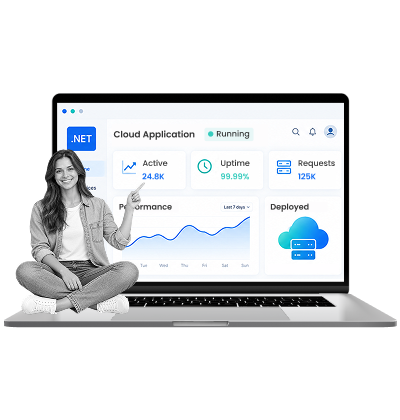
Legacy .NET applications rarely become a problem overnight. The warning signs build gradually. Rising maintenance effort, outdated dependencies, infrastructure constraints, slower releases, security concerns, and increasing difficulty integrating with modern cloud services and technologies. Also, older .NET Frameworks like 4.7.2 receive security updates but no new features.
So, the challenge is no longer deciding whether to modernize .NET applications for the cloud, but figuring out the right way to modernize without disrupting critical business operations. Should you migrate the existing application to the cloud? Refactor parts of it? Replatform the application on a modern .NET version? Or take a more fundamental approach and redesign the architecture?
The right approach depends on your application's architecture, dependencies, business criticality, technical debt, modernization goals, and tolerance for change. Below, we explore the key legacy .NET application modernization approaches, helping you understand which approach fits your app and how to plan for its timeline, cost, and risks.
Your legacy .NET application is costing you more every month than modernizing it would. Three proven .NET application modernization strategies exist: lift-and-shift gets you off outdated infrastructure fastest with minimal application changes, containerization modernizes your operations without a full rewrite, and the strangler pattern minimizes risk by evolving incrementally. The timelines for these cloud modernization strategies range from 6 weeks to 3 years and can cost between $80K to $1.2M. The real success factor isn't picking up the perfect strategy, but measuring your baseline first, aligning your teams across operations and compliance, and executing methodically.
| Aspect | Details |
|---|---|
| What this guide covers? | Cost analysis, three cloud modernization strategies for legacy .NET, decision matrix, critical success factors, realistic timelines and budgets, FAQ on common concerns |
| Who should read this guide? | CTO/VP Engineering running legacy .NET on-premises or older cloud infrastructure, Infrastructure/Operations leaders evaluating modernization, Finance leaders questioning modernization ROI, Technical teams managing .NET 4.5–4.7.2 applications |
What This Blog Assumes
You have a legacy .NET application (version 4.5, 4.6.x, or 4.7.2) running either on-premises in a data center, on older cloud infrastructure (like classic Azure VMs or older AWS EC2-only setups), or hybrid. You're not happy with its current operational footprint (manual patching, scaling friction, legacy platform constraints) and you want to modernize it using modern cloud-native patterns and managed services. The cloud modernization strategies for legacy .NET applications here are for moving, restructuring, or incrementally rebuilding older apps on modern cloud infrastructure.
The decision to modernize isn't hard when you know what to look for. Some signals are impossible to ignore, and they scream urgency. Others are quieter but equally important because the risk compound every month you delay.
So, whether you're looking at legacy .NET modernization strategies to move from an on-premises data center or from older cloud infrastructure, the timeline matters. Waiting costs more in every dimension: infrastructure spend, developer productivity, security risk, and opportunity cost.
The obvious signals when you can't afford to wait any longer.
Whether you're on-premises (data center renewal) or on cloud (older infrastructure, multi-cloud sprawl), you're getting renewal notices and costs are climbing. That's your signal. Modern cloud platforms are built for exactly this scenario.
On-premises or older cloud setups require capital-intensive, slow scaling. Modern cloud platforms offer automatic, marginal-cost scaling. If you're provisioning for peak and wasting capacity at baseline, modern cloud fixes this immediately.
.NET Framework 4.7.2 requires manual OS and runtime patching. If your .NET application deployments follow security updates. Modern cloud platforms shift that to the provider. That's real payroll hours reclaimed.
Beyond these, here are some non-obvious signals you shouldn’t ignore:
Your application was designed for Windows Server 2012 or earlier, and your team has stopped using features added after that version. With that, you're not leveraging the platform anymore, you're maintaining it. Modern cloud gives you a path to a supported, current version where your team can use today's tools and practices again. This isn't just a technical fix but a productivity multiplier.
When you hire a new .NET developer, the onboarding takes weeks because setting up a local environment requires VPN, VHD images, complex domain access, or legacy cloud infrastructure setup you can't easily replicate. That friction is a tax on every new hire and every environment you need to spin up. Modern cloud eliminates it. Calculate what your team loses in ramp-up time, test environment delays, and developer context-switching. That number often justifies the entire modernization roadmap on its own.
Your compliance team is asking questions about data residency, audit logs, and infrastructure change tracking that your current setup handles in ad-hoc ways. Modern cloud providers have native compliance features built in. You don't have to engineer them. As regulations tighten, this gap only widens.
Legacy .NET on outdated infrastructure costs compound with manual patches, manual scaling, manual deployments, manual infrastructure maintenance. That's not sustainable, and no business wants to pay the tax of staying still.
The only two options from here are either to build a custom application with latest tech so that it meets your current goals or modernize the existing one to the cloud.
While the former has exorbitant costs and lengthy timelines, cloud modernizing ensures scalability, security, and performance faster and at a fraction of the cost. So, cloud modernization for legacy .NET applications isn't a nice-to-have, it is the first step to continued success.
Moving a legacy .NET application to the cloud is not a single path. There are many different approaches to cloud modernization that you can choose from. The choice depends on your timeline, your team's capacity, your risk tolerance, and also on the primary reason for your focus on app modernization.
Below are the three most suitable cloud modernization strategies (each with their own trade-offs) that you can choose for your legacy .NET application:
You take your .NET application exactly as it is (same code, same configuration, same everything) and move it to managed VMs in your cloud platform of choice (Azure VMs, AWS EC2, or Google Compute Engine). The application runs unchanged. The infrastructure layer modernizes, but the application footprint doesn't.
| Aspect | Details |
|---|---|
| Timeline | 4–8 weeks from on-premises; 2–4 weeks if already on cloud (cloud-to-cloud rehosting is faster) |
| Cost | $80K–$150K in engineering; infrastructure costs drop 20–30% immediately |
| Benefits | Fastest path to modern cloud, minimal application changes, reduces data center footprint (or older cloud sprawl), immediate infrastructure cost savings, low technical risk |
| Key Considerations | No operational improvements, manual patching continues, manual scaling required, doesn't address technical debt, Windows Server licensing costs persist, not cloud-native |
If you are moving from on-premises to a modern cloud platform, lift-and-shift is straightforward. You decommission your data center VMs and rehost on cloud VMs. With that, costs drop because you're no longer paying for the data center, but you're now paying cloud compute at enterprise scale, but there’s no other cost saving. The timeline is driven by data transfer size and networking constraints.
If you're already on cloud but running older setups (classic Azure VMs from 2015, older AWS regions, unmanaged infrastructure), lift-and-shift is even faster because you're just re-platforming within the cloud ecosystem. You might not even have data transfer costs. The real value is consolidating to newer, more efficient cloud infrastructure and taking advantage of modern cloud tooling (auto-scaling groups, managed networking, cost optimization tools) that older setups don't have.
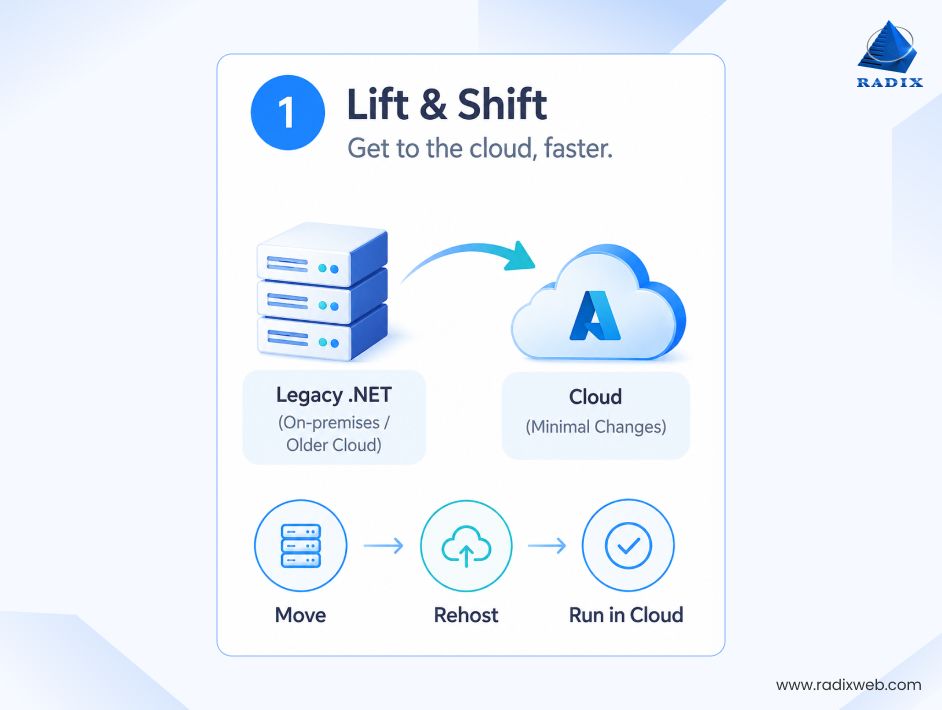
When to choose lift-and-shift:
When not to choose lift-and-shift:
With containerization, you refactor your .NET application to run in containers (usually Docker) and deploy them to managed container orchestration (Azure Container Apps, AWS ECS, Google Cloud Run, or self-managed Kubernetes). Here, you're not rewriting the application logic, you are just restructuring how it starts, configures, logs, and scales.
| Aspect | Details |
|---|---|
| Timeline | 12–16 weeks of refactoring plus 2–3 weeks of platform team training (same whether from on-premises or cloud) |
| Cost | $200K–$400K in engineering; infrastructure costs drop 25–35%; deployment velocity increases 3–4x |
| Benefits | Auto-scaling, easier deployments, consistent local-to-production environment, better resource utilization, production readiness without full rewrite, stays within .NET ecosystem |
| Key Considerations | Requires refactoring work, team needs to learn container practices, more complex than lift-and-shift, stateful applications need special handling, monitoring and logging differ from traditional infrastructure |
Containerization from on-premises is more involved because your team is learning containers while also learning cloud. You're restructuring the application, learning Docker, learning your cloud platform's container services (Azure Container Instances, AWS ECS, Google Cloud Run), and potentially adopting Kubernetes. The refactoring work is the same, but you're compressing multiple learning curves into 12–16 weeks. This requires a strong engineering team and clear runbook documentation so operations can own the new infrastructure.
If you're already on cloud but want to modernize from VMs to containers, the advantage is that your team likely understands cloud basics already. Containerization is the remaining learning curve. You might already have cloud networking, identity, and storage figured out, so you're just modernizing the application deployment layer. Timeline is often closer to 10–12 weeks because the cloud platform learning is less steep. You also have the option of migrating legacy .NET applications to the cloud incrementally by keeping some workloads on VMs while containerizing others.
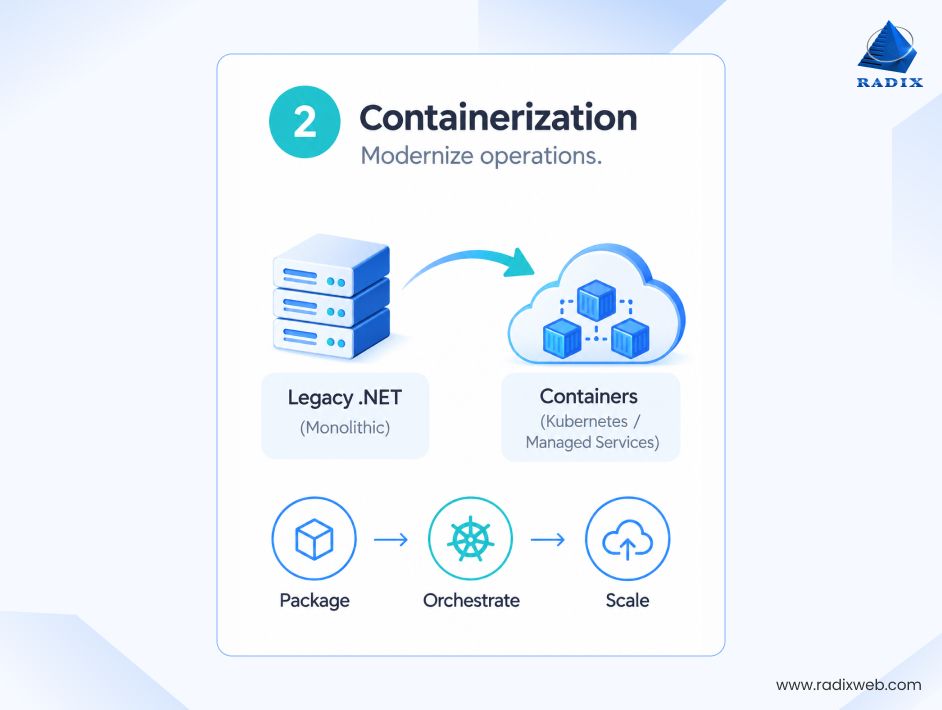
When to choose containerization:
When not to choose containerization:
In the strangler pattern, you don't touch the main legacy application. Instead, you build new functionality as cloud-native .NET microservices (using .NET 8+) and route traffic to them from the legacy app. Over 2–3 years, you gradually "strangle" the old application by extracting and rewriting pieces as services.
| Aspect | Details |
|---|---|
| Timeline | 2–3 years in phases; typically 6–12 month delivery cycles for each service extraction (timeline is same from on-premises or cloud) |
| Cost | $500K–$1.2M spread across 18–36 months; infrastructure costs eventually drop 40–50%; team velocity increases steadily |
| Benefits | Lowest immediate risk, teams move at their own pace, measurable value delivered per service, minimal downtime, can work around complex dependencies, legacy app stays stable throughout |
| Key Considerations | Longest timeline, maintains two codebases in parallel, integration points create complexity, requires clear service boundaries, needs strong architecture governance, higher ongoing operational complexity |
Strangler from on-premises is powerful because you're doing two things in parallel: moving the legacy app to cloud (lift-and-shift or containerize it) while building new microservices in cloud. The legacy application acts as a stable foundation while new services take on new functionality. This reduces the risk of the entire migration because you're not rewriting everything at once. The challenge is maintaining two operational environments (on-premises and cloud) for 12–24 months, so plan for overlap costs.
If you're already on cloud, strangler is cleaner because you're not managing dual infrastructure. You keep the legacy application on its current cloud infrastructure while building new services on modern cloud infrastructure. You might consolidate to a single cloud platform during this process, or stay multi-cloud. The advantage is that your network, identity, and data layer are already cloud-native, so you're just modernizing application patterns.
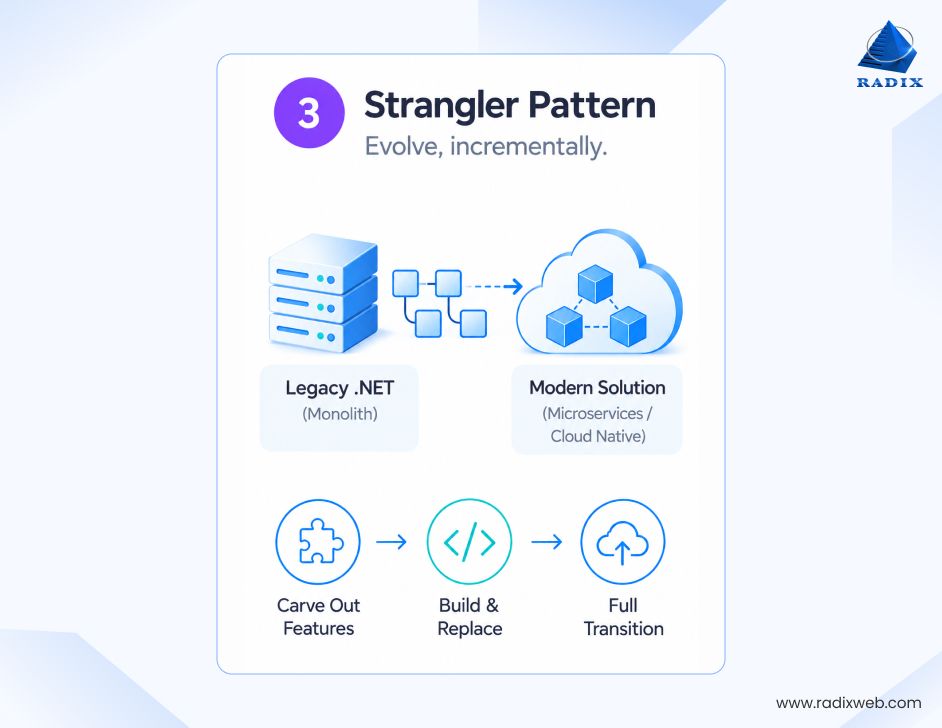
When to choose Strangler:
When not to choose Strangler:
Now, there is no single “best” cloud modernization strategy for legacy .NET apps. You need to pick the most suitable one based on your constraints and what trade-offs you can live with.
Here's the decision matrix to make choosing a cloud modernization strategy for .NET easier:
| Your Situation | Best Strategy | Why |
|---|---|---|
| On-premises: Data center contract ending in 6 months | Lift and Shift | Speed is your constraint; you move off-premises fast; you'll re-evaluate in 2 years |
| On-cloud: Older infrastructure, want to consolidate to modern setup | Lift and Shift | Cloud-to-cloud rehosting is fast; you stay on-cloud while modernizing infrastructure |
| 3–4 month window, strong engineering team, want operational improvements | Containerization | Sweet spot for effort vs. benefit; fits your timeline; team can handle the complexity |
| 2+ year horizon, can't risk downtime, modular application, phased business priorities | Strangler | Lowest risk; allows gradual learning; aligns with real business pace |
| Mixed constraints (some urgency, some optimization goals, unclear on technical debt) | Hybrid (Lift + Containerize later) | Move 70% of workload via lift-and-shift for speed; containerize the remaining 30% and future services; works from both on-premises and cloud |
These three approaches represent the practical boundaries of cloud-native .NET application modernization. They're proven, repeatable, and suited to different constraints. Other approaches (complete rewrites in .NET 8+, full cloud-native rebuilds, migration to other platforms) exist, but they're riskier, more expensive, and unnecessary if one of these three fits your situation. The others make sense only in edge cases, and even then, usually after you've exhausted one of these paths.
Strategy selection is step one. Once you've decided your legacy .NET modernization roadmap, here are the best practices for .NET application modernization that separates successful projects from ones that stall, blow budget, or ship broken.
You think you know your legacy .NET application. You don't. During every modernization project, teams discover external API dependencies that were never documented, hardcoded IP addresses that will break in a new environment, cryptic configuration files stored in version control from 2009, scheduled tasks running on specific servers that nobody remembers setting up, database stored procedures with business logic that the application assumes exists, performance tuning hacks that work on your current infrastructure but won't translate to modern cloud.
So, budget 20–30% extra engineering time just for unknowns. Get your application running under load in a staging environment before you commit to a timeline. Run diagnostics on your actual production workload. Map every external dependency. If you find dependencies during deployment week, you'll be reacting in crisis mode instead of planning calmly. This is true whether you're moving from on-premises or from older cloud infrastructure, the unknowns are the same.
Here's where projects break: engineering teams execute technical modernization perfectly. Then operations says, "we don't know how to manage this." Compliance says, "what changed in our audit scope?" Database teams say, "our backup strategy doesn't work for this." Finance says, "why is the cloud bill higher than expected?"
Cloud modernization is a technical project with massive operational, compliance, and financial surface area. Before you start:
Alignment on these things before you start is the difference between a smooth modernization and chaos at month four.
Before you touch anything, measure your legacy .NET application's current state across these dimensions:
These numbers help you understand the cost of delaying legacy modernization and prove the investment actually paid off. Companies that measure baseline are the ones that can show $2 of value for every $1 spent. Companies that don't measure baseline blame cloud for being expensive.
Modernization always reveals problems that didn't show up in staging. A containerized application behaves differently under real production load. A cloud-native architecture surfaces race conditions that your current infrastructure masked. A deployment to a new cloud infrastructure tier finds application assumptions that break.
These are usually small problems with known fixes. But you need a plan to roll back if something breaks in production. That plan needs to exist before you deploy, not during the outage.
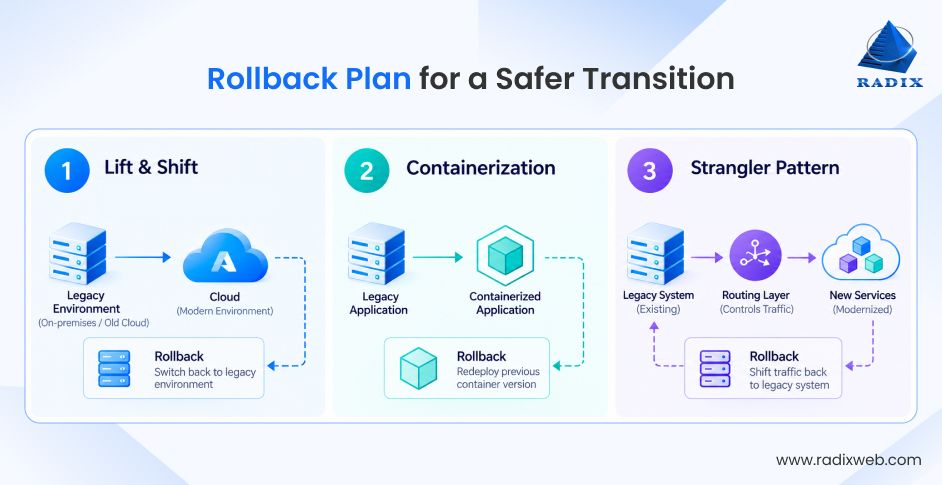
Test your rollback plan in staging. If you can't roll back in under 30 minutes, your plan isn't good enough. (Note: Cloud-to-cloud rollbacks are often faster than on-premises-to-cloud because infrastructure is more abstracted, so plan accordingly.)
This is the force multiplier. There are several reliable application modernization companies you can choose from. But a team that's done the kind of work you need before recognizes patterns you haven't discovered yet. They catch the things that sink first-time modernizations like the inventory gaps, the compliance mismatches, the operational readiness issues.
The right team:
This is not about handing off the project and disappearing. It's about partnering with a team that brings pattern knowledge and accountability.
Modernize Your Legacy .NET Application the Right Way
Your legacy .NET application is running fine. But fine isn't optimal. Whether it's on-premises or on older cloud infrastructure, you're on unsupported infrastructure that's costing you operational efficiency, security risk, and developer productivity. Modern cloud platforms aren't a luxury feature. They're the foundation that modern .NET is built for. Modernizing your legacy business application to run on current cloud infrastructure with modern operational patterns isn't a technology swap, but reclaiming operational capacity that's currently consumed by manual infrastructure work.At Radixweb, we have guided dozens of organizations through exactly this scenario. We have experience in modernizing monolithic .NET applications into containers. We've designed strangler implementations that delivered value in the first 90 days. We've executed lift-and-shift modernizations that served as bridges to deeper optimization. We've consolidated multi-cloud setups into single, modern cloud platforms. We know where the real costs hide and how to keep projects from stalling. If you're running legacy .NET and you're asking when and how to modernize it using cloud infrastructure, we can help. Schedule a call with our cloud modernization experts to discuss your strategy and get a practical roadmap today.
Ready to brush up on something new? We've got more to read right this way.