Read More


Recognized for AI Excellence at 2026 Globee® Awards - Read More

Dhaval Dave
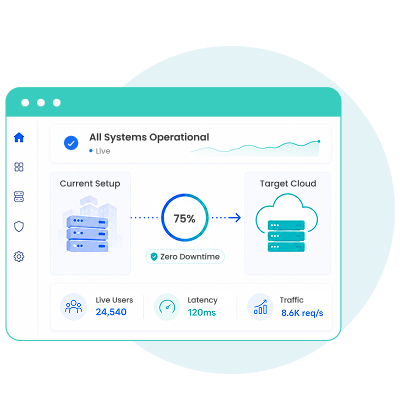
According to verified data from Worldmetrics, 40% of migrations face downtime exceeding 48 hours. For businesses, that can quickly translate into disrupted operations, lost revenue, and frustrated customers. While the benefits of moving from on-premises infrastructure to the cloud, or from one cloud environment to another, are undeniable, the risk of prolonged downtime makes many enterprises hesitant to adopt an enterprise cloud strategy. The stakes are even higher for resource-intensive, high-demand applications such as eCommerce marketplaces and streaming platforms, where even brief disruptions can impact thousands of users.
With system downtime costing anywhere from $300,000 per hour for mid-sized enterprises to $9,000 per minute for billion-dollar companies, the margin for error is slim. Thus, the cost benefits of moving to the cloud arise only if you can avoid the hidden expenses of unplanned downtime.
But downtime isn't an inevitable outcome of cloud migration. In most cases, it comes down to inadequate planning, testing, and execution. At Radixweb, we've delivered several high-traffic application migration projects with zero unscheduled downtime. In this guide, we share the practical zero downtime cloud migration strategies we’ve followed for all our projects.
Cloud migration for high-traffic applications is possible with phased cutovers, live traffic validation, and rollback safeguards to keep critical workloads running without disruption. The key is to implement shadow validation, canary testing, fallback routing, and transactional pinning to keep your system stable. When migrating high-traffic applications to the cloud, planned downtime is sometimes needed. But unscheduled disruption that impacts users is preventable.
| Aspect | Details |
|---|---|
| What This Guide Covers? | Root causes of downtime, pre-migration validation strategies, phased cutover techniques, post-migration monitoring, AI's role in migration planning, on-prem to cloud and cloud-to-cloud scenarios |
| Who Should Read This? | CTOs and infrastructure leads planning high-traffic migrations, engineering teams managing multi-service applications, companies hesitating to migrate due to downtime concerns, businesses handling 100K+ daily active users |
When you shift an app from one environment to another, whether it is on premise to cloud migration or cloud to cloud, you're not just copying files. You are rebuilding the complete architecture of that application. You're reconfiguring databases, revalidating APIs, resyncing caches, and redirecting live traffic. If any of this goes wrong, your users see errors. And at scale, these errors become incidents that frustrate the users.
The most common culprits causing downtime during cloud migration include:
Organizations deal with terabytes or petabytes of data that they need to extract, transform, and load (ETL) during migration. The larger the dataset, the longer the transfer window. If that data is encrypted, each packet requires secure processing, adding latency and overhead. Without a streaming or chunking mechanism while migrating your data from one infrastructure to another, you're looking at extended windows of vulnerability, which is exactly when downtime creeps in. Also, secure cloud migration for high-traffic apps, requires robust encryption protocols that don't compromise transfer speeds.
When migrating legacy applications to the cloud, schema compatibility becomes a critical validation point that cannot be overlooked. Schema drift happens when there are differences in how database engines handle data types, indexing, triggers, and constraints. A column that exists in your on-premises database might map to a different data type in your cloud platform. Queries that worked in one system fail silently in another. The result is extended downtime as engineers scramble to reconcile the mismatch.
The cutover (when traffic switches from old infrastructure to new) is the moment of highest risk. If the new system isn't fully synchronized with the old one, data inconsistencies slip through. The new database might still be rebuilding indexes, warming up caches, or propagating DNS changes across global networks. Meanwhile, requests queue up, response times degrade, and users start seeing timeouts. Truly risk-free cloud migration for applications often needs multiple cutover mechanisms and instant rollback capabilities ready.
Network reliability is critical during large-scale cloud migrations. Any disruption, like congestion, suboptimal routing, or latency between on-premises and cloud, can halt data transfer or break real-time synchronization. If a transaction starts in the old system and the network fails mid-sync, you're left with partial updates. The only option here is either a rollback or manual reconciliation, both of which extend downtime.
Note: Multi-cloud migration for high-traffic apps introduces additional complexity when coordinating network paths across different infrastructure providers. Also, when migrating web application to cloud environments, network latency becomes a measurable performance factor that directly impacts user experience.
Most modern applications don't exist in isolation. They depend on payment gateways, customer support platforms, analytics services, and third-party APIs. When you migrate your application to the cloud, API endpoints change. If you haven't accounted for these dependencies, integrations break. An eCommerce platform migrating without updating its payment gateway configuration sees transaction failures within minutes.
What is also important to understand here is that on-premises to cloud migrations face an additional challenge: physical distance. Data travels across the internet, introducing latency and vulnerability to network interruptions. Though cloud-to-cloud migrations are faster, they introduce a different risk: cloud provider APIs and service configurations differ significantly. A database backup strategy that works on AWS might not translate directly to Azure without reconfiguration.
None of these issues are inevitable. The key to avoiding downtime when enterprise applications move to the cloud is simply to identify potential failure points early on and build safeguards into every stage of the transition.
What "Zero Downtime Cloud Migration" Actually MeansWhen we talk about zero downtime migration, we mean zero unscheduled downtime, so no sudden outages that interrupt users mid-transaction. In most cases, some planned downtime is necessary (typically a few minutes for final cutover).But here's the key: planned downtime can be scheduled during off-peak hours and communicated in advance. More importantly, it can be engineered so users never actually see an outage. They're seamlessly rerouted to the new infrastructure while the old system completes final synchronization in the background.So, zero downtime in cloud application migration means your users never experience disruption, even if the engineering work happens over hours or days.
Migrating a high-traffic application without disruption isn't a matter of luck or last-minute heroics. It requires a deliberate strategy across three critical phases: preparing the environment before migration, managing the cutover, and stabilizing the application after traffic moves to the cloud.
At Radixweb, we have hands-on expertise in end-to-end application migration. Based on that experience, we've outlined 10 proven strategies for migrating applications to the cloud without disruptions.
Once you have compared on-premises vs. cloud migration for your application and decided on the latter, start the move with proper testing first. You prepare the migration process by testing and validating the new system's compatibility, and stability against your existing setup.
Run your existing system and the new cloud system in parallel. Send the same requests to both. Compare results byte-for-byte. If there's a discrepancy, like a missing field, a different data type, or a calculation that rounds differently, you'll catch it here, not when your users are live. Shadow validation typically runs for days or weeks, simulating real transaction patterns. It's tedious, but absolutely non-negotiable. This is foundational to achieving zero downtime migration and is widely recognized as a best practice for cloud migration.
You can't test what you don't simulate. Your staging environment should mirror production in terms of data volume, third-party integrations, and network topology. Test not just individual services but the entire transaction flow. A payment processing migration might pass unit tests but fail when a customer's order hits three different services in sequence. E2E testing catches these before they hit production.
Route a small percentage of real traffic to your new cloud system while the majority still runs on the old infrastructure. Start with 1-2% of users or transactions. Monitor error rates, latency, and throughput. If everything is stable after hours or days, increase to 5%, then 10%. This gradual exposure lets you catch issues that staging environments miss. Canary testing is especially instrumental in safely moving legacy applications to cloud systems.
Your cloud infrastructure might perform perfectly under light load but degrade under heavy traffic. Run load tests that simulate your peak traffic scenario. For example, if you handle 100K concurrent users during Black Friday, simulate that. Push the new system to its limits. Observe where it breaks. Fix it before real traffic arrives.
A cold database is a slow database. Before you redirect production traffic, pre-load synthetic data into your cloud environment. Warm up indexes, populate caches, establish connection pools. This prevents the common scenario where the first wave of real traffic hits a system that's still initializing, causing cascading timeouts.
Set up multiple network paths between your application and the cloud infrastructure. If one route fails due to congestion or infrastructure issues, traffic automatically reroutes through an alternate path. This redundancy at the network layer prevents a single point of failure from becoming a complete outage.
Once validation is complete, you move. But you move deliberately.
High-traffic applications process thousands of transactions per second. Each transaction has a life cycle: it starts, it updates state across multiple services, it completes. If a transaction begins in your old system and tries to finish in the new system, you have consistency problems.
Implement routing logic that "pins" related transactions to a single system. If a customer's order starts on the old infrastructure, it completes there, even as new orders route to the cloud. This prevents partial updates and data corruption. Users won't notice the difference and their transactions complete reliably.
Deploy in waves, not one big bang. Here’s how you can plan a phase rollout:
Each phase should run for hours or days before moving to the next. A phased rollout turns a risky cutover into a safe and predictable transition.
Migration doesn't end when traffic goes live. It ends when you're confident the new system is stable.
Track key metrics like error rates, latency, throughput, and database query performance. Set alerts for any anomaly and critically, maintain the ability to rollback to your old system quickly, ideally within seconds. If the new infrastructure degrades unexpectedly, you can revert traffic and investigate without impacting users.
Once live, testing doesn't stop. Monitor edge cases that staging couldn't replicate. Some bugs only appear under true production load or with real data patterns. Continuously refine your test strategy based on production incidents and emerging issues.
Also Read: Benefits and Risks of Cloud Migration
With these strategies in place, you can keep high-traffic applications available while delivering a smoother, more predictable move to the cloud. Just remember to keep users informed about upcoming changes, prepare support teams to respond quickly, and continue monitoring the application after cutover.
Migrate High-Traffic Apps to the Cloud without Disruptions
Downtime during cloud migration is real, but it's not inevitable. If you've delayed your migration because downtime seemed like an unavoidable tax, now is the moment to reconsider. With the right strategy, phased execution, and continuous validation you can migrate your enterprise applications to the cloud, without disruptions. The businesses ahead of you aren't waiting for the perfect moment. They're planning the migration properly and moving forward. Your high-traffic app belongs in the cloud, and it can get there without your users noticing a thing.At Radixweb, we've spent years building expertise in exactly this problem: migrating mission-critical applications at scale without losing a beat. Our cloud migration specialists have delivered dozens of zero-downtime migrations across eCommerce, fintech, healthcare, and streaming platforms. So, if you're ready to move your app to the cloud, schedule a consultation with our cloud migration experts. We'll build a strategy that works for your infrastructure, your users, and your business.
Ready to brush up on something new? We've got more to read right this way.